02.07 Export 3mf 3D Print File Fusion 360
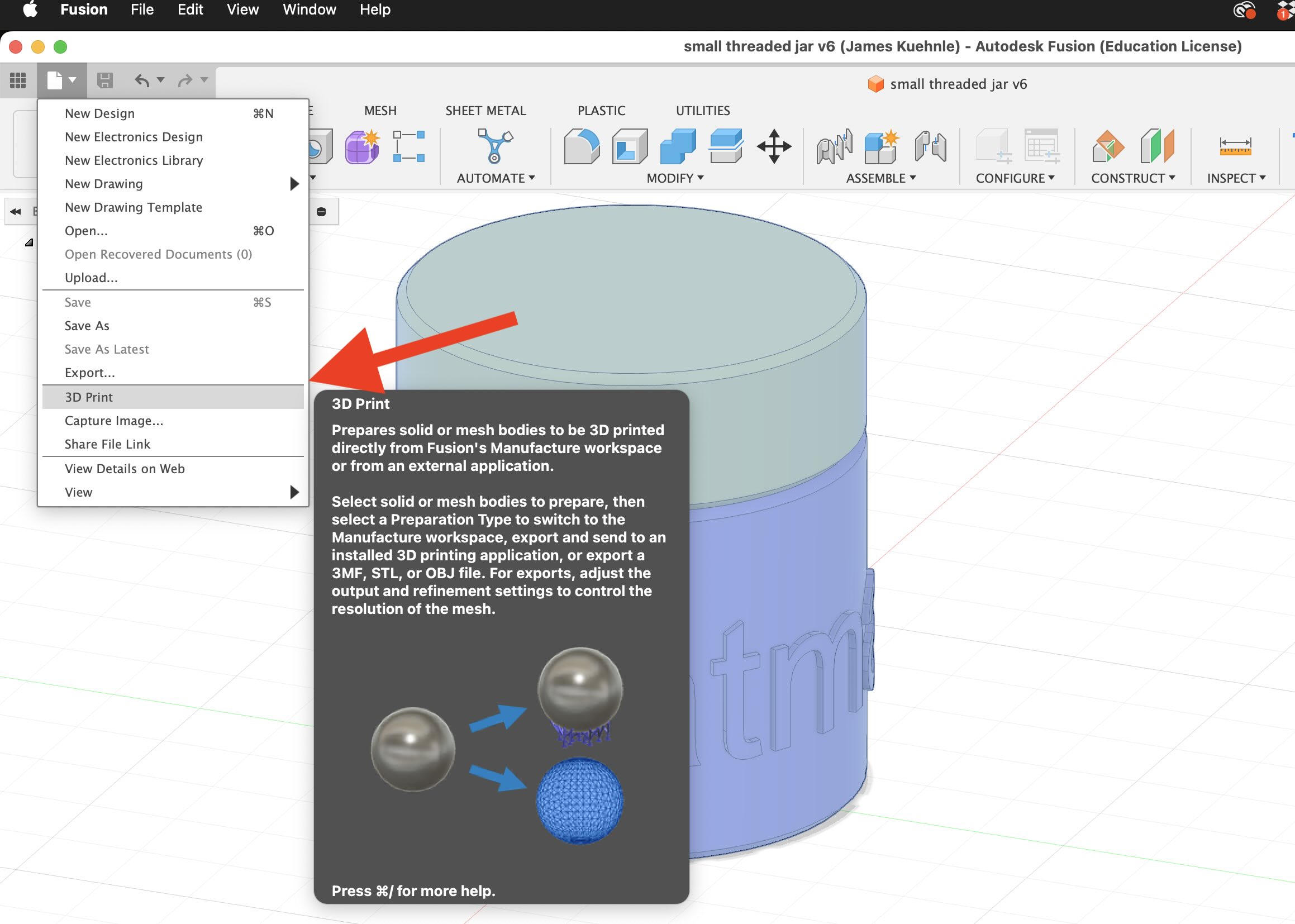
Select File > 3D Print …
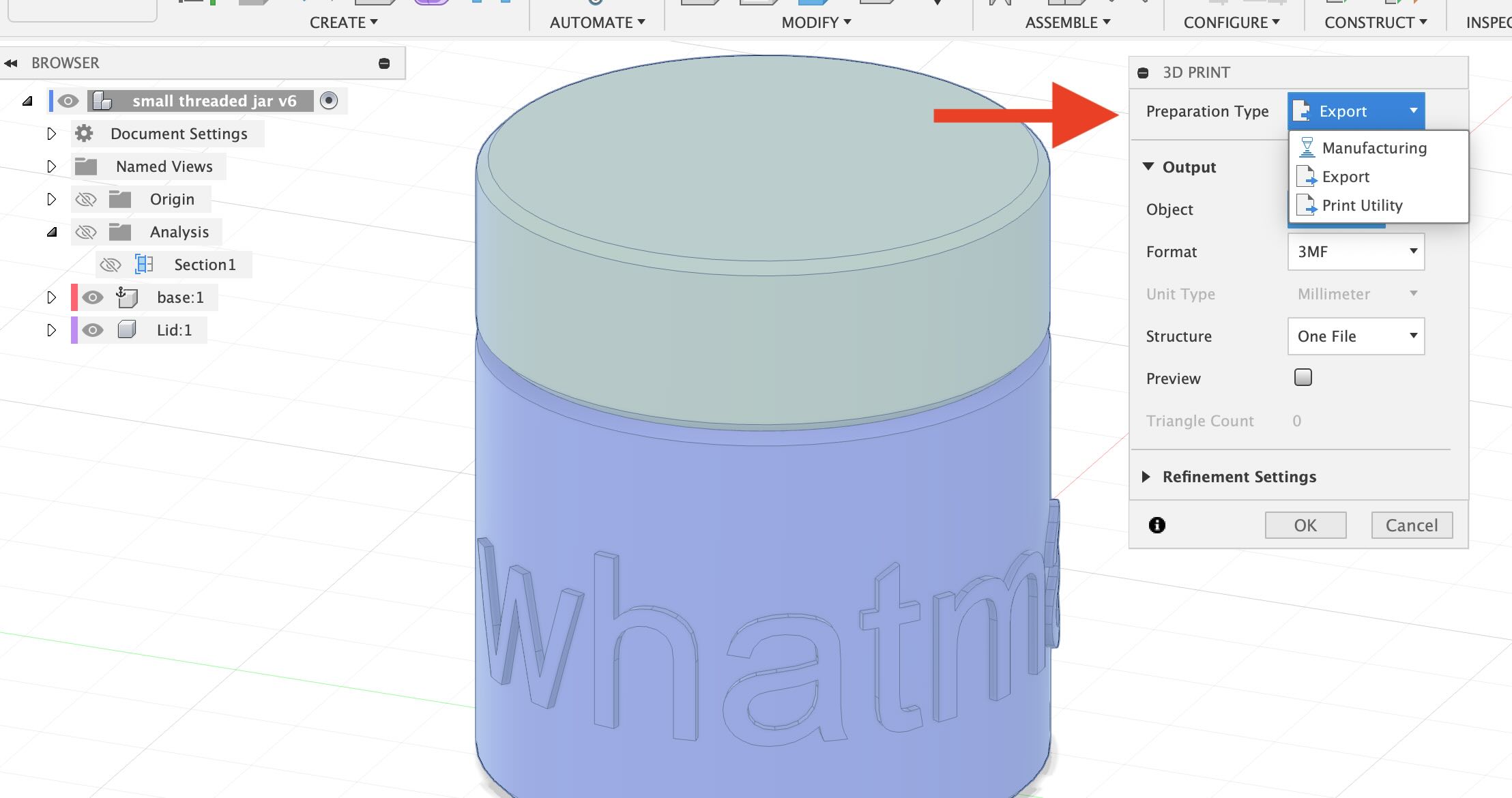
Choose the export option to save the file on your local computer
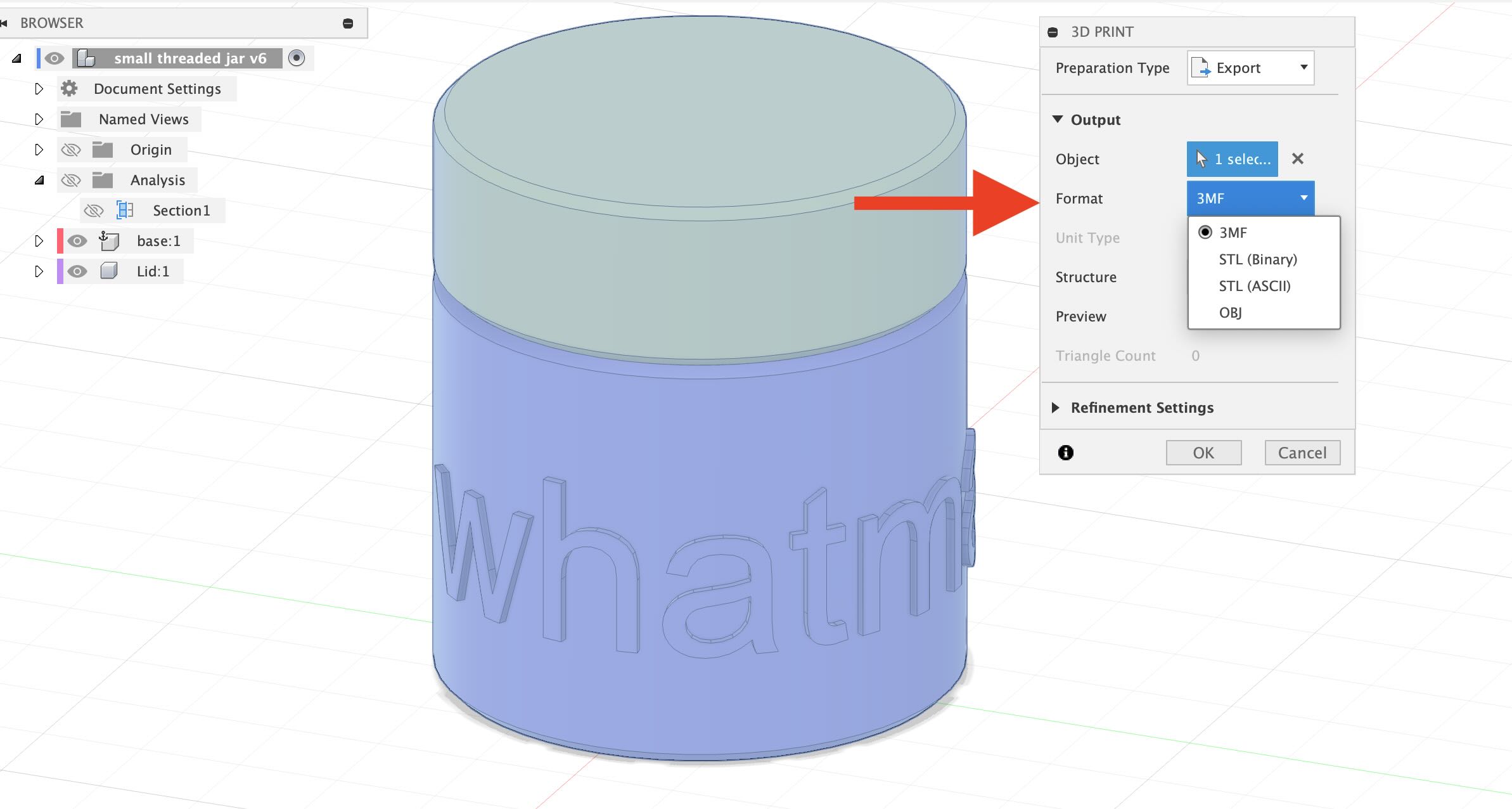
Choose the .3mf file format
Video Transcript
In this Fusion 360 tutorial I’m going to show you how you can export a 3mf file for 3D printing this is better than a triangulated STL because the 3mf file will have smoother profiles and curves
generally a 3mf file is better than an STL if your 3D print slicer supports it. To export a 3mf file in Fusion 360 simply go to the top, file, 3D print. In the preparation type there’s print utility, manufacturing or export. Manufacturing sends to Fusion’s workspace print utility goes to any print utilities you may have. Export simply exports the file. In this case we want to select export. Then it says what object. We want to select all the objects. You can shift select them but notice it doesn’t let you do that so the way to do that is select the top level and it’ll select all these components then we have an option of selecting the format. You can select STL, obj, or 3mf I recommend using 3mf if your slicer is able to use it and then you can select one file or one body per file. One file is generally fine and then select okay. You’ll receive a save as dialogue box. Go ahead and label the file to suit your needs and then select the location to save it. Click save and then you have a 3mf file that that you can use for 3D printing.
Hopefully this allows you to export 3MF files for 3D printing from Fusion 360. Happy 3D modeling!