On this page
Click on file > Export > choose .f3d
Since Fusion data is stored in the cloud it is good practice to make local copies as well. Fusion supports the export of many 3D modeling file types but for now we will focus on the .f3d Fusion native file format. This allows you to save a copy that can be opened on a computer without the internet and can be shared with another Fusion user without sharing any cloud information. The .f3d file can be uploaded to Fusion and then it will appear in the file browser with all the other models and designs.
| Export .f3d File from Fusion | |
|---|---|
| 1. Select File from the disk icon in the top left | 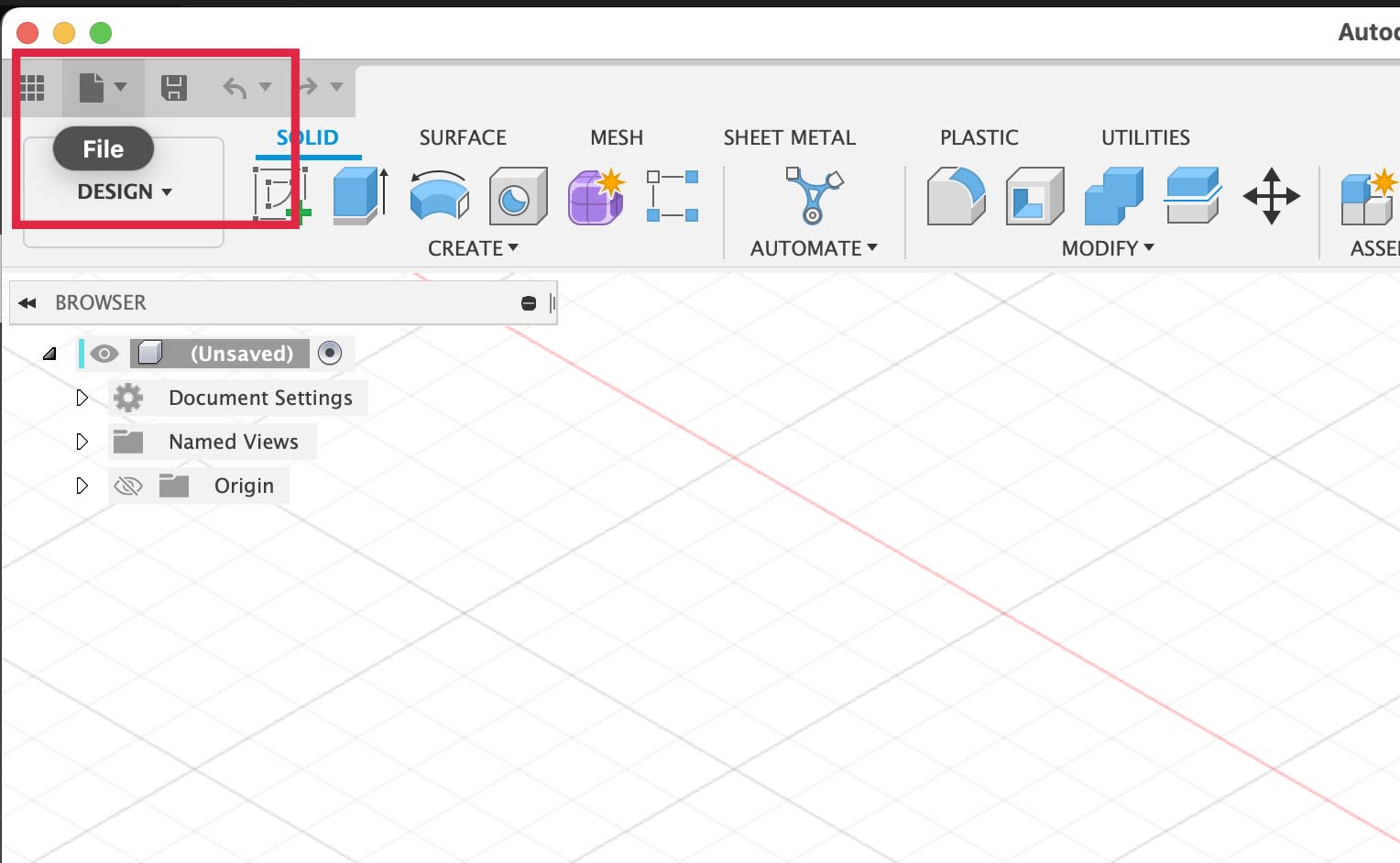 |
| 2. Select Export… from the dropdown menu | 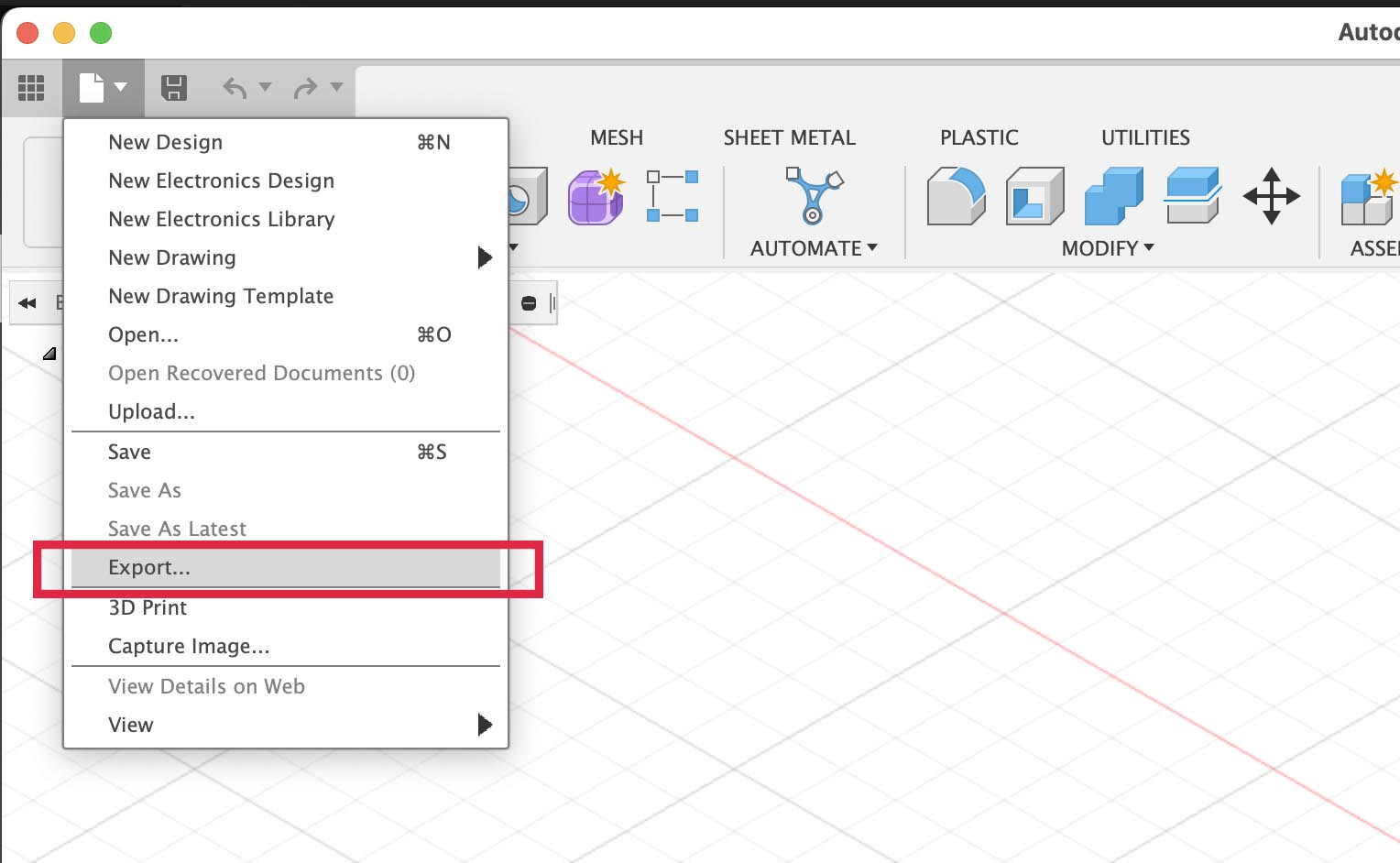 |
3. Select .f3d for the filetype in the popup window | 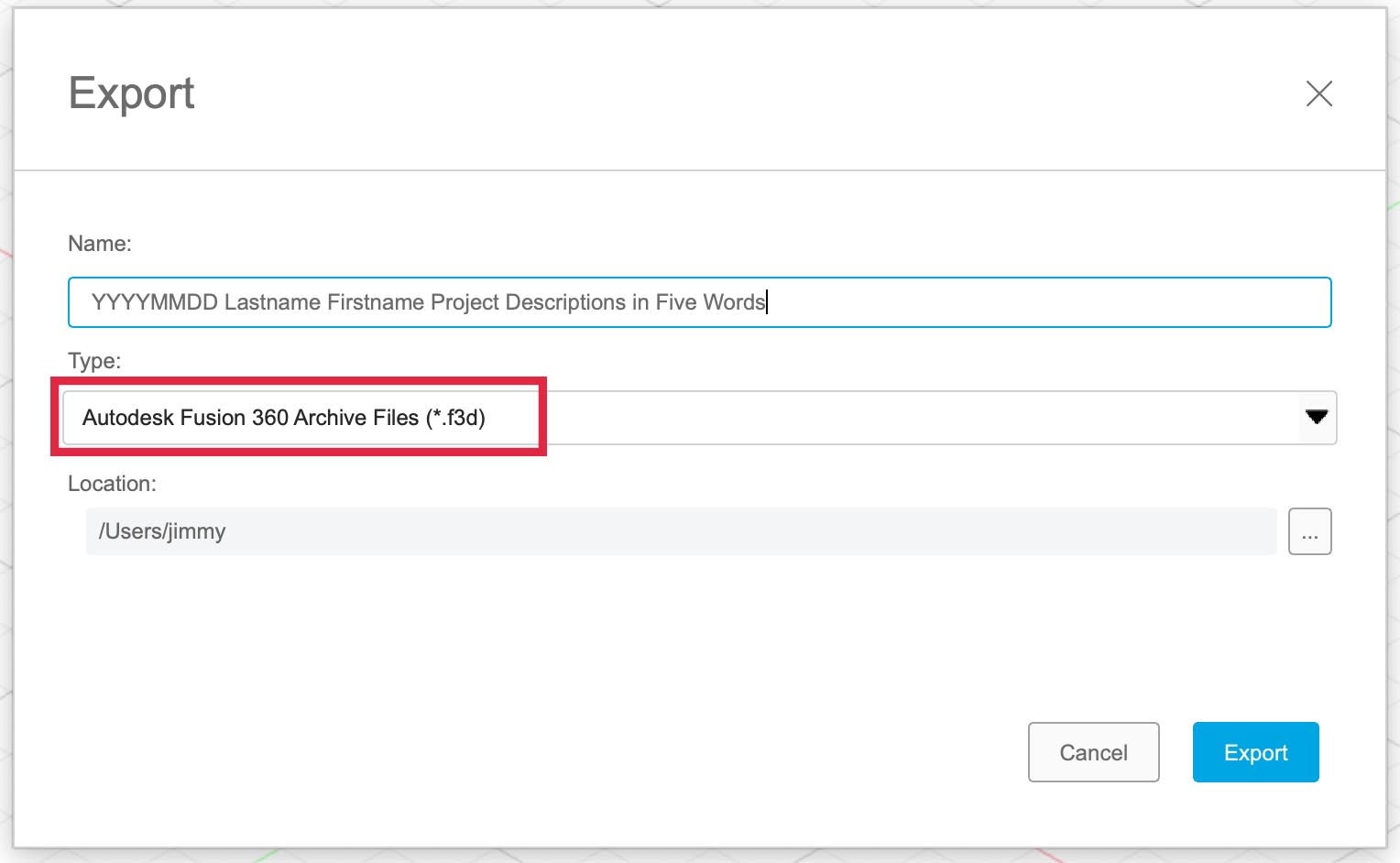 |
| 4. Label your file with YYYY-MM-DD Lastname Firstname Project Description in Five Words | |
5. Choose a location on your computer to save the .f3d file |
(Last Modified:
)